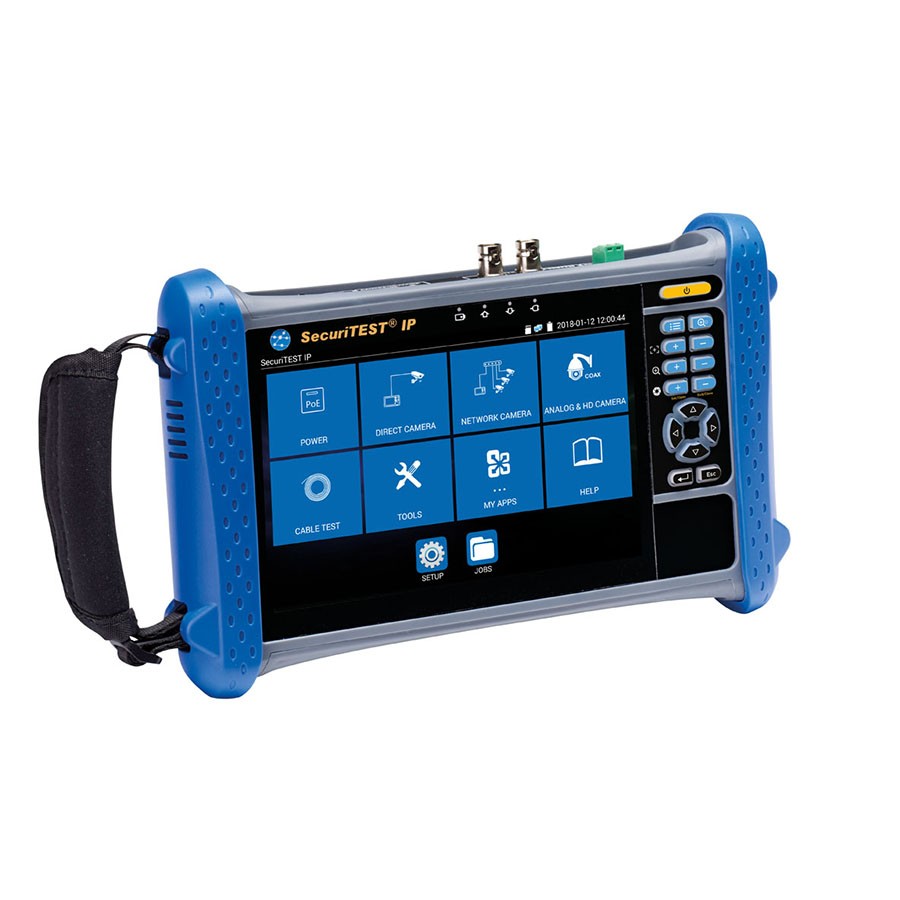
Security Test Equipment
FAQs
CCTV camera testers are handheld, portable devices designed to simplify the installation, setup, and troubleshooting of both IP and analogue security cameras. They allow engineers to:
- View live camera footage on-site
- Power cameras directly using built-in 12V DC or PoE outputs
- Configure camera settings such as IP address, focus, tilt, and zoom
- Test cable connections and verify network activity
- Capture snapshots or video clips for documentation
These testers significantly reduce installation time, eliminate guesswork, and help prove correct setup before leaving site.
When choosing a tester for security installations, consider the following key features:
- Support for multiple camera types (IP, analogue, HD-coax)
- Built in camera power options such as 12V DC or PoE/PoE+
- On-screen video display for live viewing and focus adjustment
- Network tools including ping, IP scan, cable testing, and PoE verification
- Snapshot and reporting functions to document installation details
- Rugged design with protective casing for field use
- Long battery life to support full-day installation work
A tester with these capabilities will cover most CCTV, access control, and security system scenarios.
Your choice should match the type of security systems you install:
- If you install IP CCTV, choose a tester with strong network diagnostics, ONVIF support, and PoE output.
- If you work with mixed technologies (analogue, HD-coax, IP), choose a hybrid tester that supports all video types.
- For commissioning and documenting installations, look for snapshot, video capture, and PDF report generation.
- Consider kits that include cable leads, adapters, shoulder straps, carrying cases, and replacement batteries.
- If your work involves large sites, choose a tester with remote camera discovery and configuration tools to speed up setup.
Selecting the right tester ensures accuracy, faster installations, and fewer call backs.
To ensure high quality installations and reliable results:
- Power each camera using the tester before final mounting to confirm functionality
- Use the tester’s video display to align, focus, and optimise the camera’s field of view
- Run cable mapping or network tests to check for wiring faults, incorrect terminations, or PoE issues
- Save images or test results for handover reports or future maintenance
- Keep firmware updated on the tester to support new camera models
- Store adapters, BNC leads, and network cables properly to avoid damage
Following these practices will help guarantee a stable, correctly installed CCTV system.